Collections
10 featuresOrganize recordings into collections with tags and powerful search.
Overview
Collections help you organize related recordings together. Create collections for projects, meeting series, courses, or any grouping that makes sense for your workflow.
Group Recordings
Organize by project, topic, or date
AI-Generated Tags
Automatic topic detection
Full-Text Search
Find across all transcripts
Creating Collections
Create a new collection by clicking the "+" button in the Collections screen or when viewing a recording.
Collection Properties
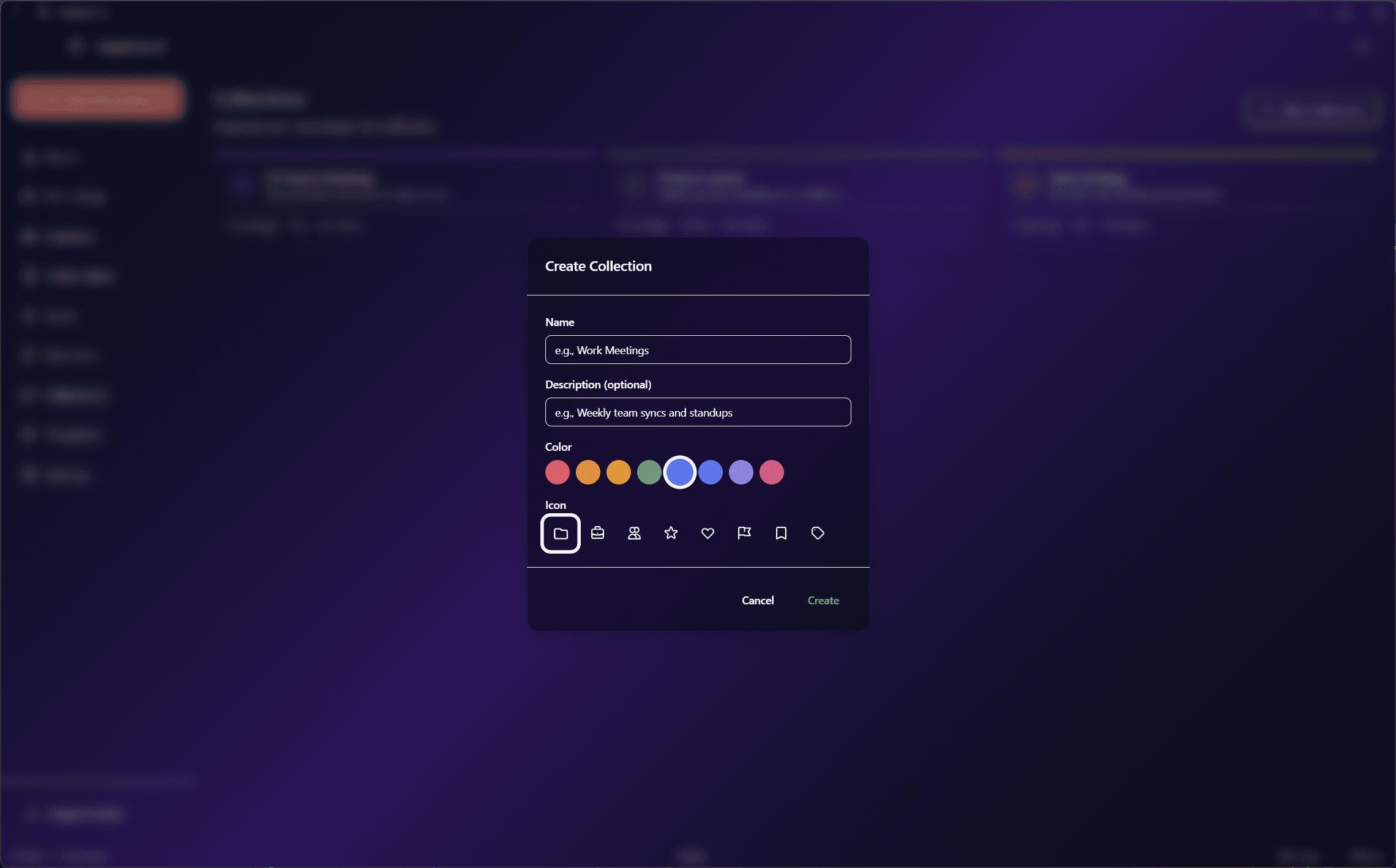
AI-Generated Tags
When enabled, EdgeNote AI automatically generates relevant tags for each recording based on the content. Tags help with organization and searchability.
Example Tags
You can also add manual tags to recordings for custom categorization.
Search & Filter
EdgeNote AI provides powerful search capabilities across all your recordings:
Search across all transcripts, summaries, and notes. Results show matching context and link directly to the relevant part of the recording.
Filter recordings by date range: Today, This Week, This Month, or custom range.
Find all recordings where a specific person participated.
Click on any tag to filter recordings with that tag. Combine multiple tags.
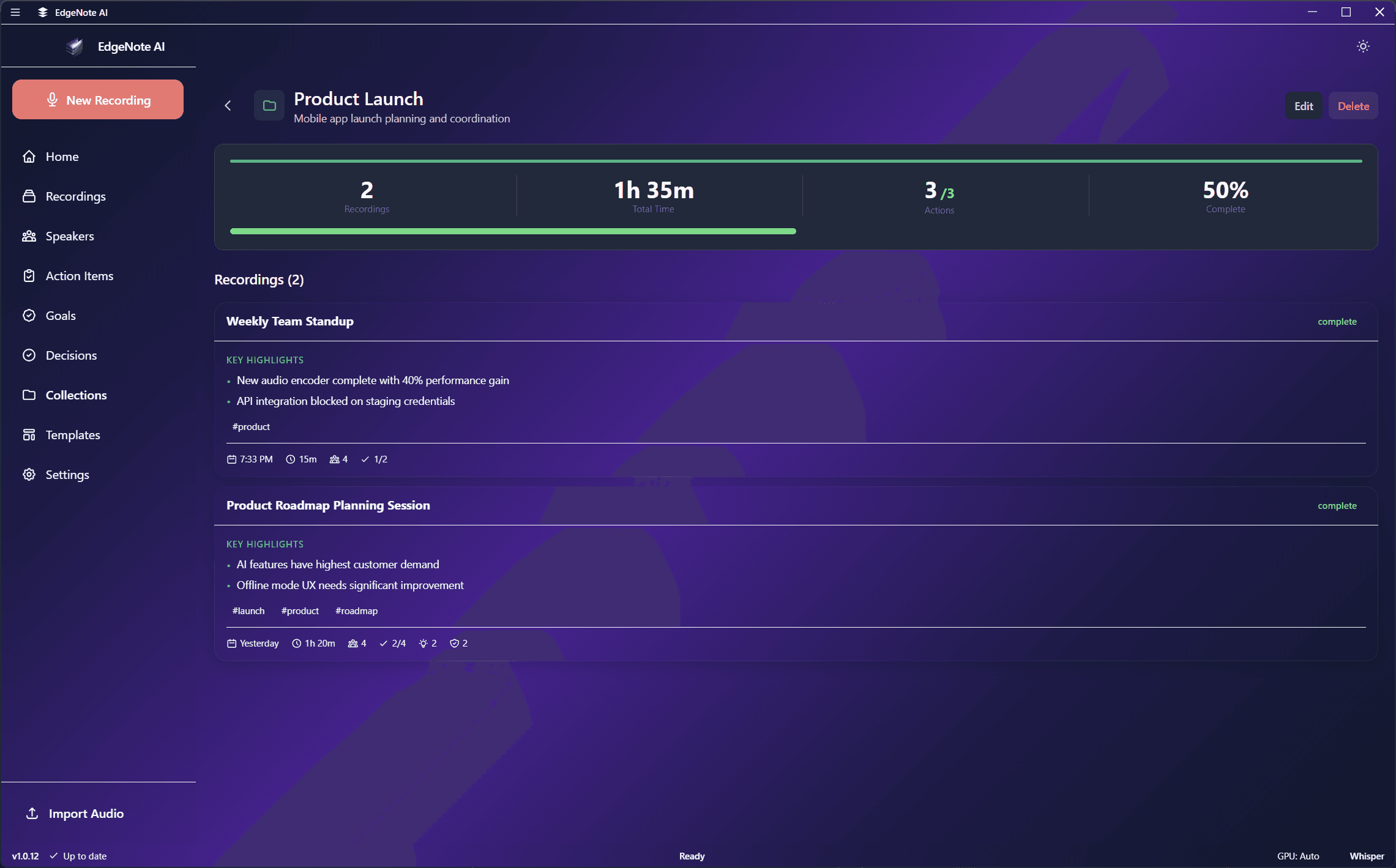
Collection View
Each collection shows all its recordings with summary statistics:
Organization Features
AI-Generated Titles
Recordings are automatically given descriptive titles based on their content. You can edit titles at any time.
Notes
Add personal notes to any recording for additional context or reminders.
Archive
Archive old recordings to keep your main view clean while preserving the data.
Export & Share
Export recordings as text, markdown, or PDF. Share summaries via email or clipboard.