Custom Templates
8 featuresCreate custom summary templates with YAML configuration for specialized outputs.
Overview
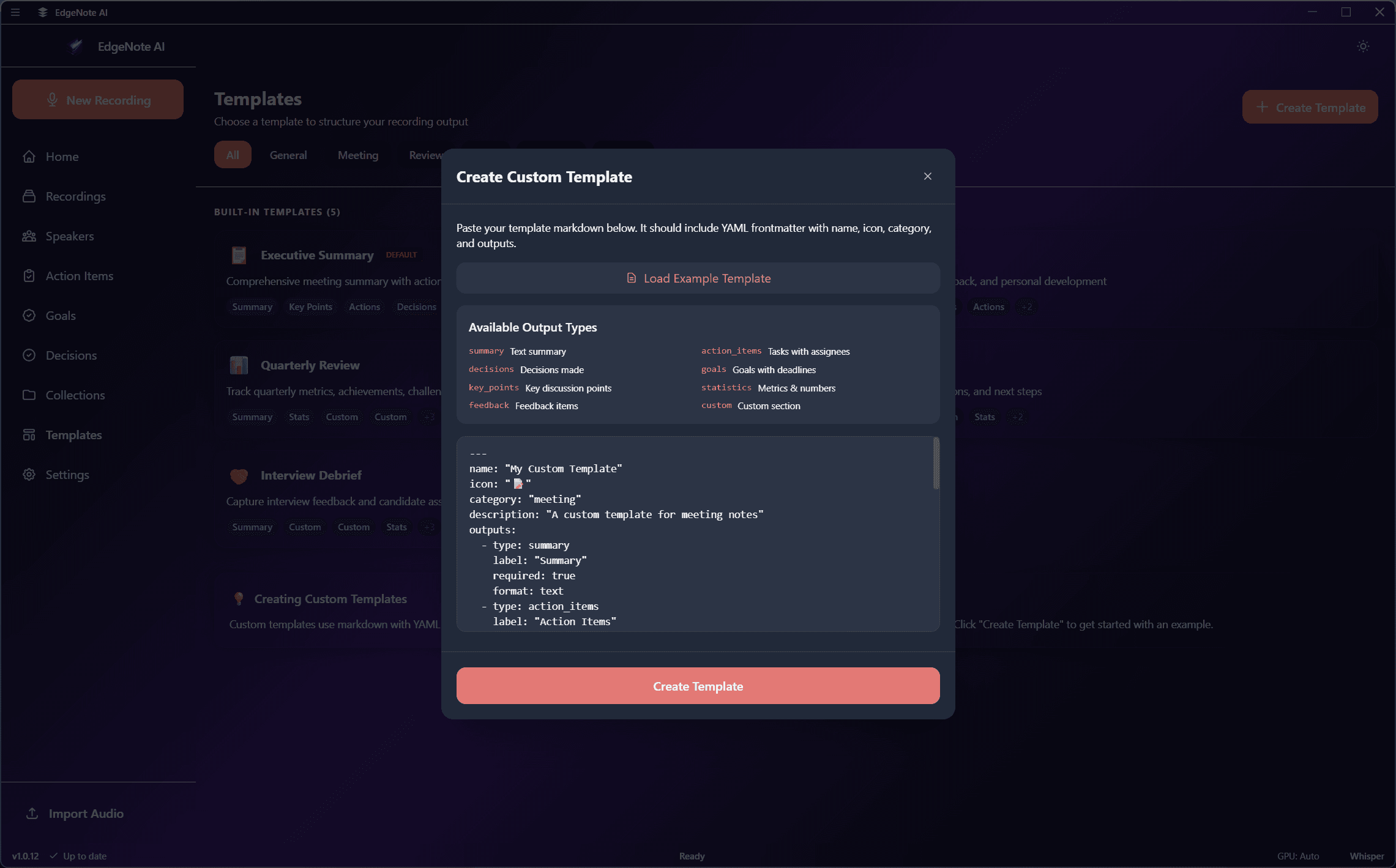
Templates control how EdgeNote AI generates summaries. Each template defines custom output sections with specific prompts, allowing you to tailor the summary format to your needs.
Built-in Templates
Ready-to-use templates for common scenarios
Custom Templates
Create your own with YAML
Categories
Organize templates by type
Built-in Templates
EdgeNote AI includes several pre-built templates optimized for common use cases:
Agenda, attendees, discussion points, action items, and next steps.
Topics covered, key concepts, definitions, examples, and study points.
Candidate overview, questions asked, responses, and evaluation notes.
Ideas generated, themes, pros/cons discussed, and selected options.
Topics discussed, feedback given, goals set, and follow-up items.
Brief overview with just key points and action items.
Creating Custom Templates
Custom templates are defined in YAML format. Each template specifies metadata and a list of output sections with custom prompts.
name: Technical Interview
description: Template for technical interviews with coding assessment
category: interviews

outputs:
  - id: candidate_overview
    name: Candidate Overview
    prompt: |
      Provide a brief overview of the candidate including:
      - Technical background mentioned
      - Years of experience
      - Key technologies discussed

  - id: coding_assessment
    name: Coding Assessment
    prompt: |
      Summarize the coding exercise portion:
      - Problem given
      - Approach taken by candidate
      - Solution quality
      - Areas of strength
      - Areas for improvement

  - id: behavioral
    name: Behavioral Insights
    prompt: |
      Extract behavioral insights:
      - Communication style
      - Problem-solving approach
      - Team collaboration examples
      - Leadership examples (if discussed)

  - id: recommendation
    name: Hiring Recommendation
    prompt: |
      Based on the interview, provide:
      - Overall impression
      - Hire / No Hire / Maybe recommendation
      - Suggested role fit
- Follow-up questions for next roundTemplate Tips
- Use clear, specific prompts for each output section
- The transcript is automatically provided to each prompt
- Keep prompts focused on extracting specific information
- Test with a recording to verify the output format
Template Structure
nameRequiredDisplay name for the template shown in the template picker.
descriptionOptionalBrief description explaining when to use this template.
categoryOptionalGroup templates by category (meetings, interviews, education, etc.).
outputsRequiredArray of output sections, each with an id, name, and prompt.
Output Sections
Each output section defines one part of the summary:
| Property | Required | Description |
|---|---|---|
id | Yes | Unique identifier (snake_case) |
name | Yes | Display name in the summary |
prompt | Yes | Instructions for the LLM |
Using Templates
Select a template before starting a recording. The template is saved with the recording and used when summarization runs.
Change the template for an existing recording and re-run summarization to get a new summary format.
Mark a template as your default to automatically use it for all new recordings.
Preview template output sections in the template editor before saving.