Transcription
10 featuresConvert speech to text using GPU-accelerated Whisper models with speaker diarization.
How It Works
EdgeNote AI uses OpenAI's Whisper models running locally via whisper.cpp for fast, accurate speech-to-text transcription. All processing happens on your device.
Metal (macOS), CUDA (NVIDIA), Vulkan (AMD/Intel) for 5-10x faster transcription.
Large models support automatic language detection across 99 languages.
Identify who spoke when with automatic speaker segmentation.
Whisper Models
Choose a model based on your accuracy needs and available RAM.
| Model | Size | RAM Required | Languages | Notes |
|---|---|---|---|---|
Whisper Tiny | 77 MB | 1 GB | English | Ultra-fast, lower accuracy |
Whisper Small | 488 MB | 2 GB | English | Fast with good accuracy |
Whisper MediumRecommended | 1.5 GB | 4 GB | English | Excellent accuracy |
Whisper Large V3 Turbo | 1.6 GB | 4 GB | 99 languages | Fast + multilingual |
Whisper Large V3 | 3.1 GB | 6 GB | 99 languages | Maximum accuracy |
Model Recommendation
Supported Languages
The Large models support automatic detection and transcription in 99 languages. Some common languages include:
Language Detection
Large models automatically detect the spoken language. You can also manually specify the language in Settings for faster processing when you know the language in advance.
Speaker Diarization
Speaker diarization identifies different speakers in a recording and labels who said what. This is especially useful for meetings with multiple participants.
EdgeNote AI automatically detects when speakers change, even without prior training.
Speakers are labeled as "Speaker 1", "Speaker 2", etc. You can rename them in the Speaker Management screen.
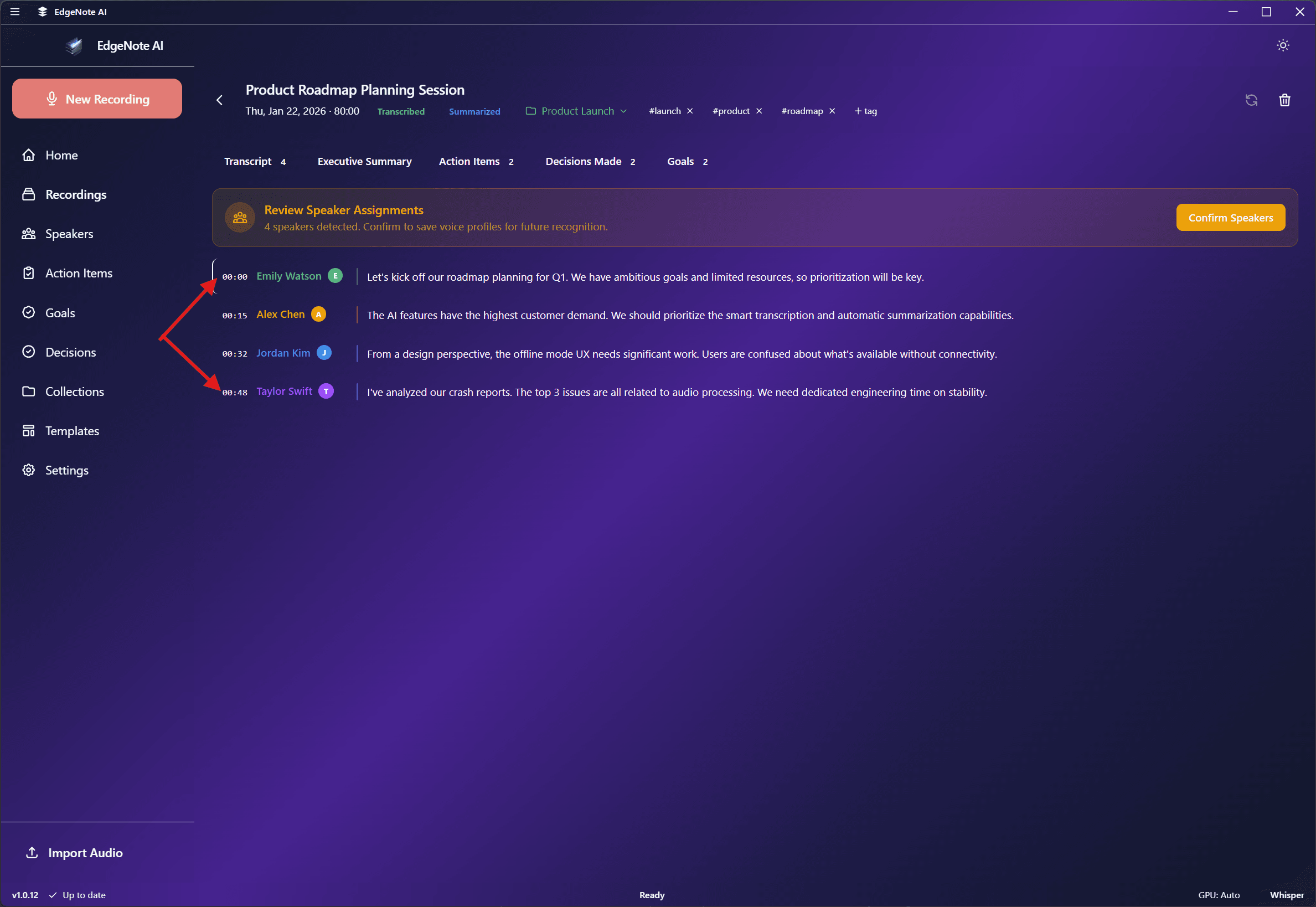
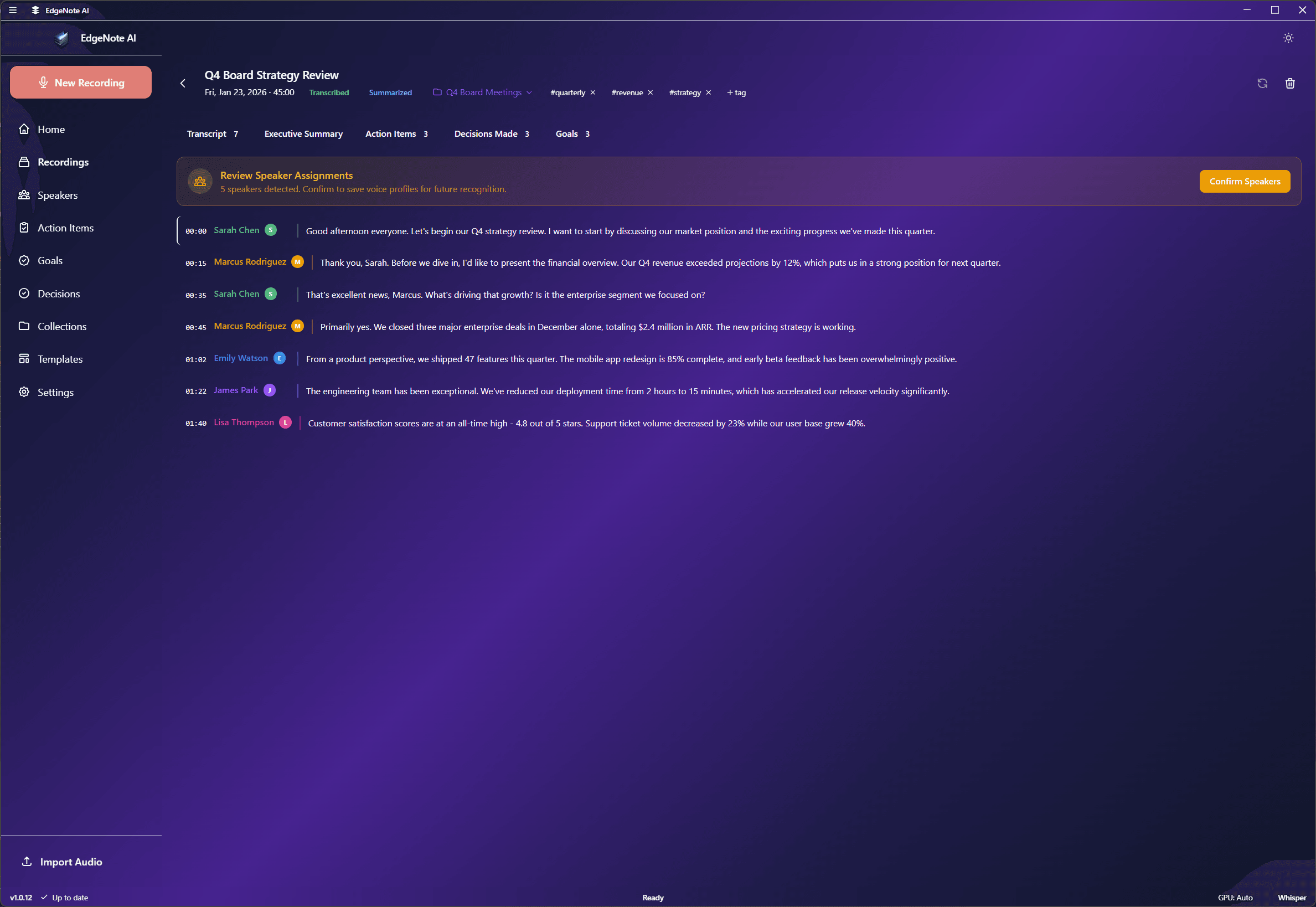
Transcription Output
The transcription includes timestamps and speaker information for easy navigation.
Advanced Settings
Fine-tune transcription behavior in Settings > Advanced:
CPU Threads
Increase the number of CPU threads for faster CPU-mode transcription. Default is auto-detected based on your system.
VAD (Voice Activity Detection)
Automatically detect and skip silent portions of audio for faster processing.
Auto-Transcribe
Automatically start transcription when a recording ends. Disable to manually trigger transcription.