AI Models
18 modelsDownload and manage Whisper and LLM models for transcription and summarization.
Overview
EdgeNote AI uses two types of AI models that run locally on your device:
OpenAI's Whisper models for speech-to-text transcription. Choose based on accuracy needs and language support.
Large Language Models for summarization and insight extraction. Choose based on quality needs and available RAM.
Whisper Models (Transcription)
Models for converting speech to text.
| Model | Size | RAM Required | Languages | Notes |
|---|---|---|---|---|
Whisper Tiny | 77 MB | 1 GB | English | Ultra-fast, lower accuracy |
Whisper Small | 488 MB | 2 GB | English | Fast with good accuracy |
Whisper MediumRecommended | 1.5 GB | 4 GB | English | Excellent accuracy |
Whisper Large V3 Turbo | 1.6 GB | 4 GB | 99 languages | Fast + multilingual |
Whisper Large V3 | 3.1 GB | 6 GB | 99 languages | Maximum accuracy |
LLM Models (Summarization)
Models for generating summaries and extracting insights.
| Model | Size | RAM Required | Notes |
|---|---|---|---|
Qwen 3 1.7B | 1.4 GB | 2 GB | Lightweight and fast |
DeepSeek R1 1.5B | 1.1 GB | 2 GB | Fast with chain-of-thought |
Gemma 2 2B | 1.6 GB | 4 GB | Compact and efficient |
Phi-3.5 Mini 3.8B | 2.4 GB | 4 GB | Balanced performance |
Llama 3.2 3B | 2.0 GB | 4 GB | Fast and reliable |
Qwen 3 4BRecommended | 2.6 GB | 4 GB | Best for most desktops |
Mistral 7B v0.3 | 4.4 GB | 12 GB | Fast inference |
DeepSeek R1 7B | 4.7 GB | 12 GB | Excellent reasoning |
Llama 3.1 8B | 4.9 GB | 12 GB | General purpose |
Qwen 3 8B | 5.2 GB | 16 GB | Superior quality with thinking |
Gemma 2 9B | 5.8 GB | 8 GB | Strong performance |
DeepSeek R1 14B | 9.0 GB | 16 GB | Superior reasoning |
Phi-4 14B | 9.1 GB | 16 GB | State-of-the-art |
Downloading Models
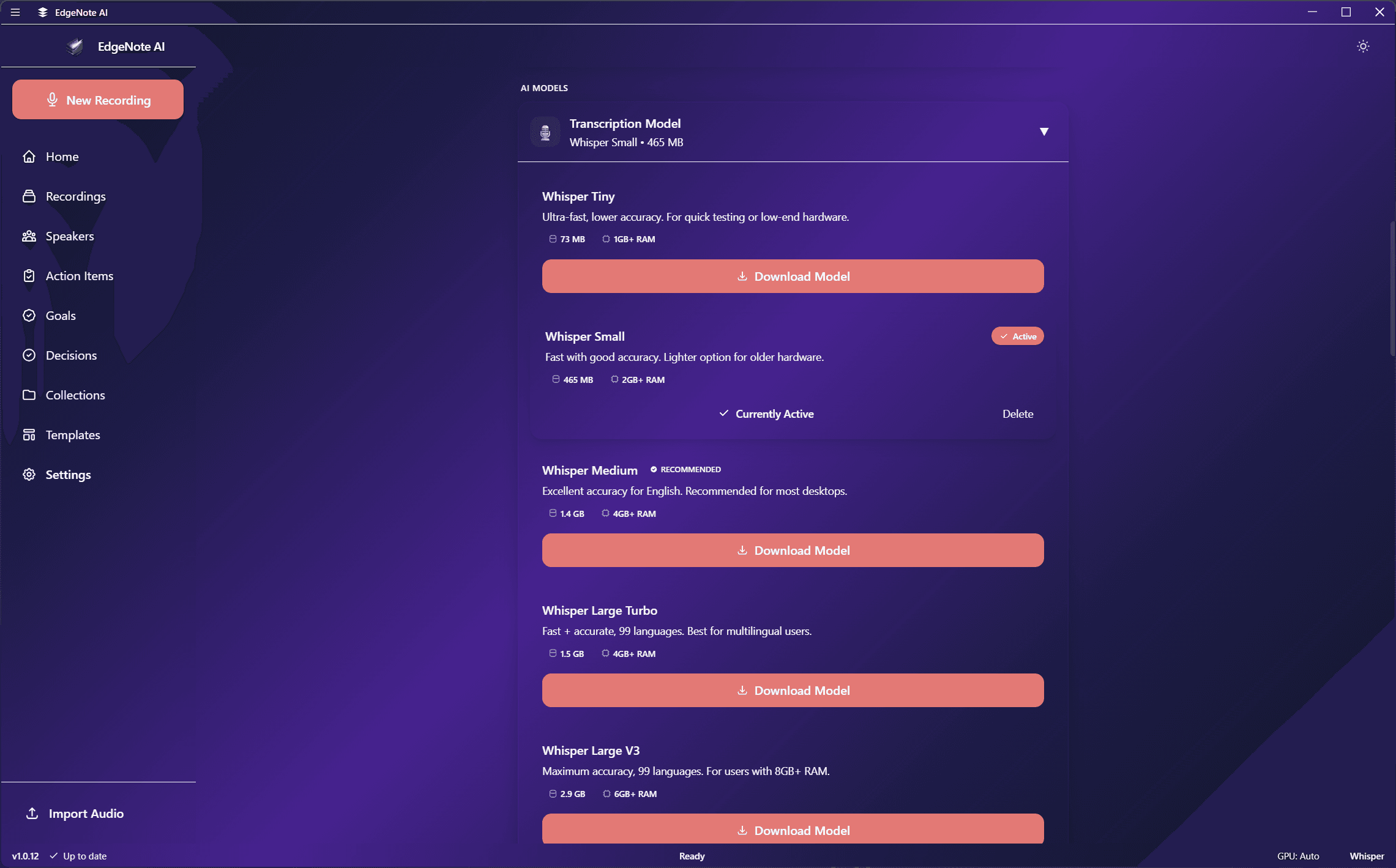
Models are downloaded on first use or can be pre-downloaded from Settings:
Open Settings
Go to Settings > Transcription or Settings > Summarization.
Select a Model
Choose a model from the dropdown. Models show size and RAM requirements.
Download
Click download. Progress is shown in the interface. Models are stored locally and don't need to be re-downloaded.
Custom Model Downloads
Advanced users can download custom GGUF models from Hugging Face:
Adding Custom LLM Models
- Find a GGUF model on Hugging Face (e.g., TheBloke's quantized models)
- Copy the model URL (must end in .gguf)
- Go to Settings > Summarization > Custom Models
- Paste the URL and click Add
- The model will download and appear in your model list
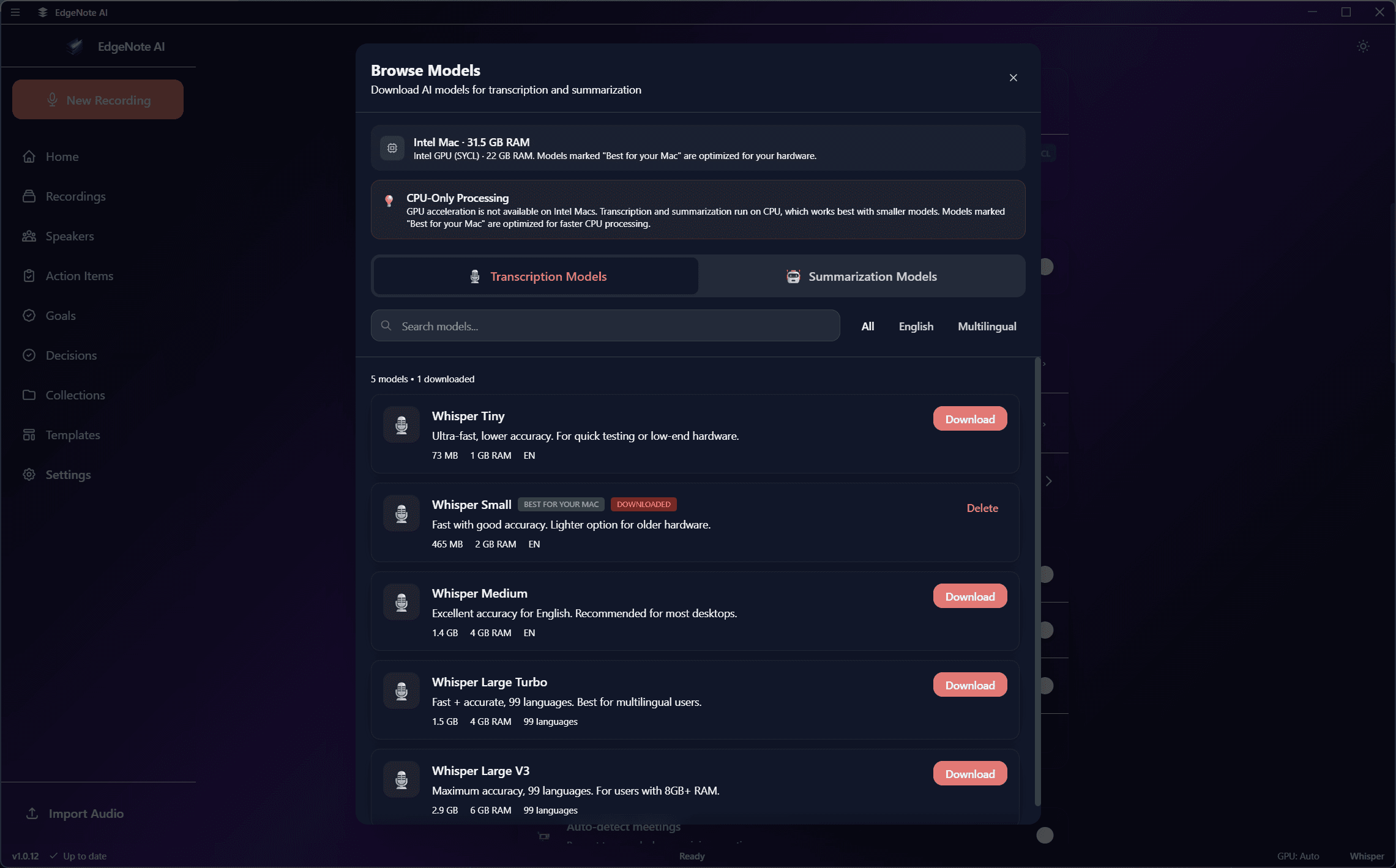
Compatibility
Model Management
See all downloaded models with their size and location on disk.
Remove unused models to free up disk space. Can be re-downloaded anytime.
Change the active model at any time. New recordings will use the selected model.
EdgeNote AI will notify you when newer model versions are available.
Choosing the Right Models
See the Hardware Requirements page for detailed recommendations based on your available RAM.
| Use Case | Whisper | LLM |
|---|---|---|
| Quick notes (8GB RAM) | Whisper Small | Qwen 3 1.7B |
| Most users (16GB RAM) | Whisper Medium | Qwen 3 4B |
| Multilingual (16GB RAM) | Large V3 Turbo | Qwen 3 4B |
| Complex analysis (24GB+ RAM) | Whisper Large V3 | DeepSeek R1 7B |
| Maximum quality (32GB+ RAM) | Whisper Large V3 | Phi-4 14B |