Speakers Screen
Manage and visualize speakers across all your recordings.
Overview
The Speakers screen provides two views for managing people identified in your recordings: a list view and an interactive graph visualization.
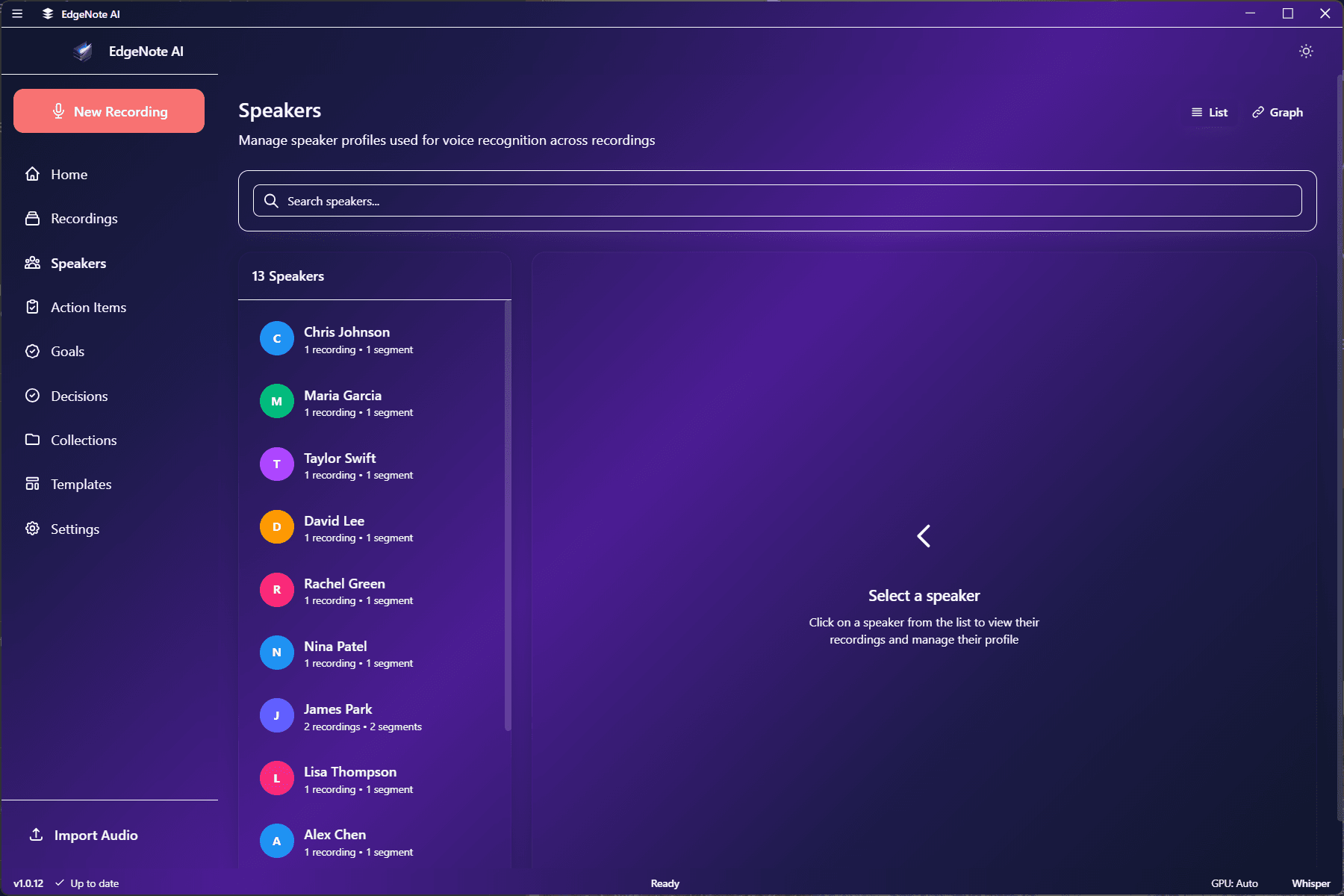
List View
The default list view shows all speakers with their statistics:
Sarah Chen
12 recordings • 4h 23m total
Mike Johnson
8 recordings • 2h 45m total
Speaker 3
3 recordings • 45m total
Graph View
Toggle to the graph view to see speaker relationships visually:
Each speaker is a node. Size indicates total speaking time across recordings.
Lines connect speakers who appeared in the same recording. Thicker lines = more co-appearances.
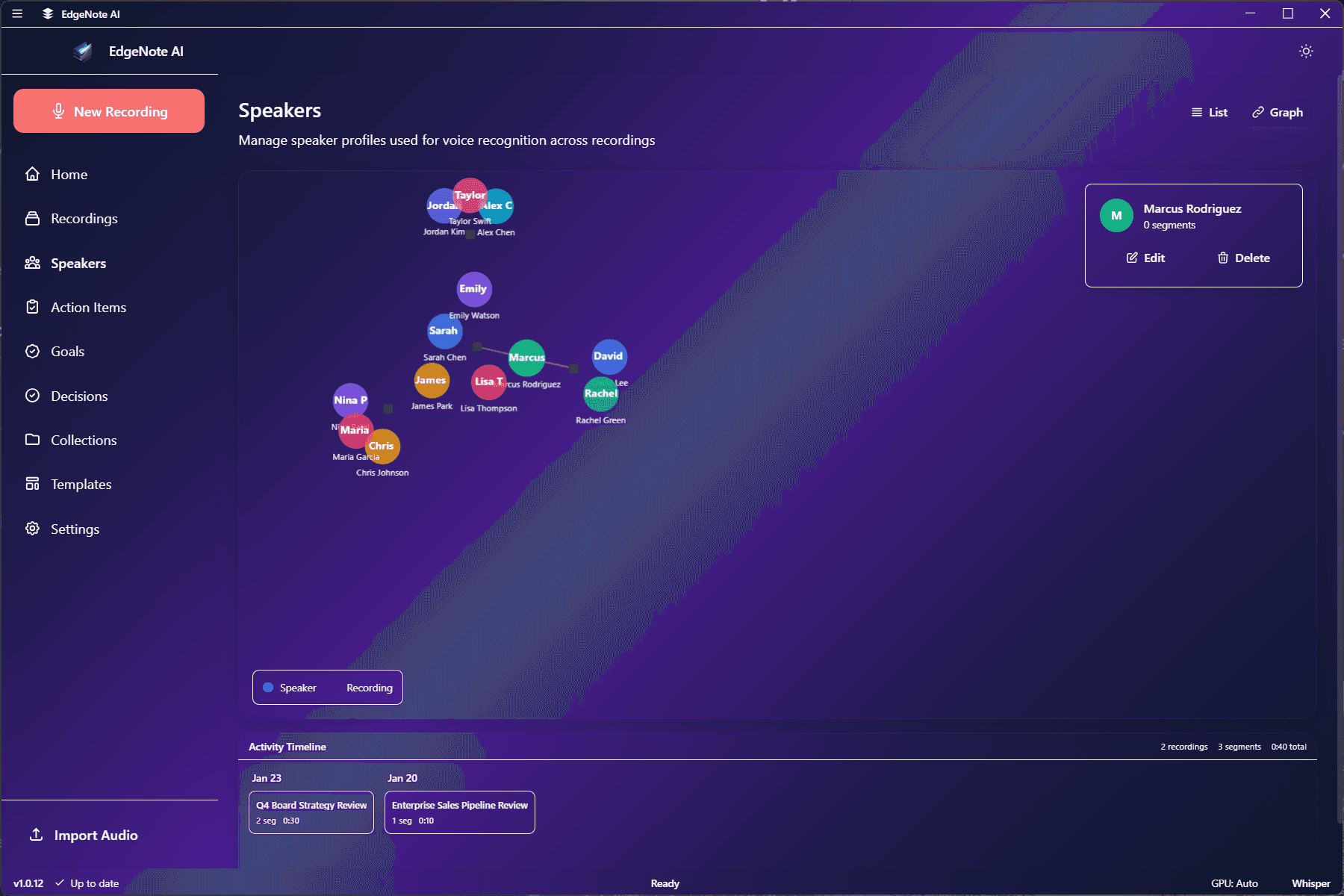
Speaker Details
Click on a speaker to see their detailed view:
- All recordings they appear in
- Speaking time per recording
- Action items assigned to them
- Other speakers they frequently appear with
Managing Speakers
Use the speaker menu to manage each person:
Rename
Change display name
Change Color
Assign custom color
Merge
Combine with another speaker
Delete
Remove speaker from system
See Speaker Management for more details.